thanostool
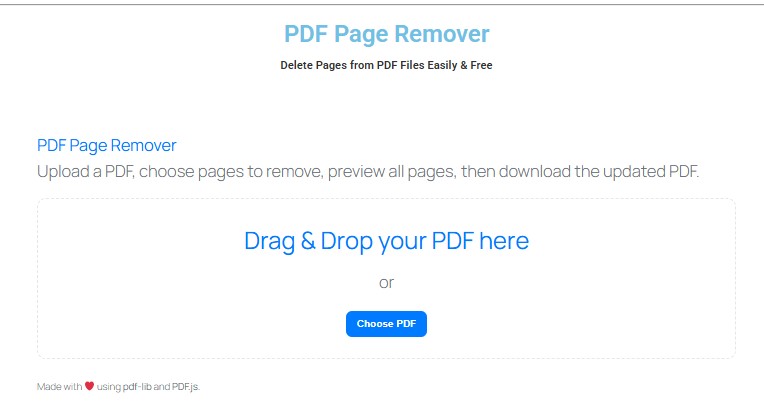
PDF Page Remover
PDF Page Remover
Upload a PDF, choose pages to remove, preview all pages, then download the updated PDF.
Drag & Drop your PDF here
or
PDF Page Remover — Delete Pages from PDF Files Easily & FreeHere
Welcome to ThanosTool’s PDF Page Remover, the easiest way to remove unwanted pages from a PDF online — no software installation, no account required, and zero cost. Whether you need to cut blank pages, trim extra pages, or just clean up a document, our web-based tool makes it fast, secure, and reliable.
With this PDF Page Remover, you can upload your PDF, choose the pages to delete, and instantly download a cleaned version — all within seconds. Works on any device (desktop, tablet, mobile) and supports most major browsers.
Why Choose ThanosTool’s PDF Page Remover?
Lightning Fast — Our system is optimized to process PDF edits promptly
-
Watermark-Free Output — You get a clean, unbranded PDF
-
Privacy First — Files are not stored permanently; we delete them soon after processing
-
Universal Compatibility — Works across browsers and operating systems
-
No Hidden Costs — Fully free within operational limits
-
User-Friendly UI — Simple interface so users of any skill level can use it
Lightning Fast — Our system is optimized to process PDF edits promptly
-
Watermark-Free Output — You get a clean, unbranded PDF
-
Privacy First — Files are not stored permanently; we delete them soon after processing
-
Universal Compatibility — Works across browsers and operating systems
-
No Hidden Costs — Fully free within operational limits
-
User-Friendly UI — Simple interface so users of any skill level can use it
Upload your PDF
Click “Choose File” or drag & drop your PDF into the input area.
-
Select pages to remove
After upload, thumbnails or page numbers are displayed. Click or mark the pages you want to delete. You can often specify ranges (e.g. 3-5, 8) or individual pages.
-
Confirm removal
Hit the “Remove Pages” (or “Delete Pages”) button to let our backend process your request.
-
Download the edited file
Once the operation is complete, you’ll get a link or button to download the finalized PDF that no longer contains the pages you removed.
-
Optional review
Open the downloaded PDF to check that the unwanted pages are gone and everything else is intact.
Upload your PDF
Click “Choose File” or drag & drop your PDF into the input area.
Select pages to remove
After upload, thumbnails or page numbers are displayed. Click or mark the pages you want to delete. You can often specify ranges (e.g. 3-5, 8) or individual pages.
Confirm removal
Hit the “Remove Pages” (or “Delete Pages”) button to let our backend process your request.
Download the edited file
Once the operation is complete, you’ll get a link or button to download the finalized PDF that no longer contains the pages you removed.
Optional review
Open the downloaded PDF to check that the unwanted pages are gone and everything else is intact.
Tip: For best results, remove pages in smaller batches if your PDF is very large (hundreds of pages) to avoid timeouts or performance issues.
Key Features & Benefits
Feature Benefit Remove one or more pages Flexibility to delete single pages or ranges Preview & thumbnail view Visual selection ensures you delete the correct pages No watermark / branding Your final PDF remains clean and professional Free to use No fee, no subscription required Cross-platform compatibility Work from desktops, tablets, or phones Fast processing Quick response times even for sizable files Automatic file cleanup Uploaded files are removed after processing (for privacy) Maintain PDF integrity Fonts, images, layout stay intact for pages you keep
These features make the ThanosTool PDF Page Remover ideal for professionals, students, legal users, and anyone handling digital documents.
Key Features & Benefits
| Feature | Benefit |
|---|---|
| Remove one or more pages | Flexibility to delete single pages or ranges |
| Preview & thumbnail view | Visual selection ensures you delete the correct pages |
| No watermark / branding | Your final PDF remains clean and professional |
| Free to use | No fee, no subscription required |
| Cross-platform compatibility | Work from desktops, tablets, or phones |
| Fast processing | Quick response times even for sizable files |
| Automatic file cleanup | Uploaded files are removed after processing (for privacy) |
| Maintain PDF integrity | Fonts, images, layout stay intact for pages you keep |
These features make the ThanosTool PDF Page Remover ideal for professionals, students, legal users, and anyone handling digital documents.
Security & Privacy
Your confidentiality matters. Here’s how we protect you: All file uploads and downloads use SSL / HTTPS encryption We do not retain your files longer than necessary — once the editing ends and you download your PDF, we purge them We never share your content with third parties All operations are deterministic — they only alter the pages you request Your final PDF is delivered directly to your browser; no long-term storage on server
Frequently Asked Questions (FAQ)
Q. Is the PDF Page Remover tool free?
Yes — the tool is free to use, with no registration required (within operational file size and usage limits).
Q. Are there limitations on file size or number of pages?
For performance and stability reasons, extremely large PDF files (e.g. multiple hundreds of MBs) or extremely high page counts may not work well. In such cases, remove pages in parts or split large PDFs first.
Q. Can I undo page removal after I download?
No — once you finalize and download the edited PDF, the deleted pages are permanently removed in that file. Always keep a backup of your original PDF if needed.
thanostool is proudly powered by WordPress