JPG to PDF Converter

This content will:

    • image to PDF converter

    • JPG to PDF online free

    • photo to PDF converter

    • convert image to PDF

    • online image to PDF tool

    • best JPG to PDF converter free

    • PNG to PDF online

    • image to PDF high quality

      Image to PDF Converter Online – Free & Easy JPG to PDF Tool
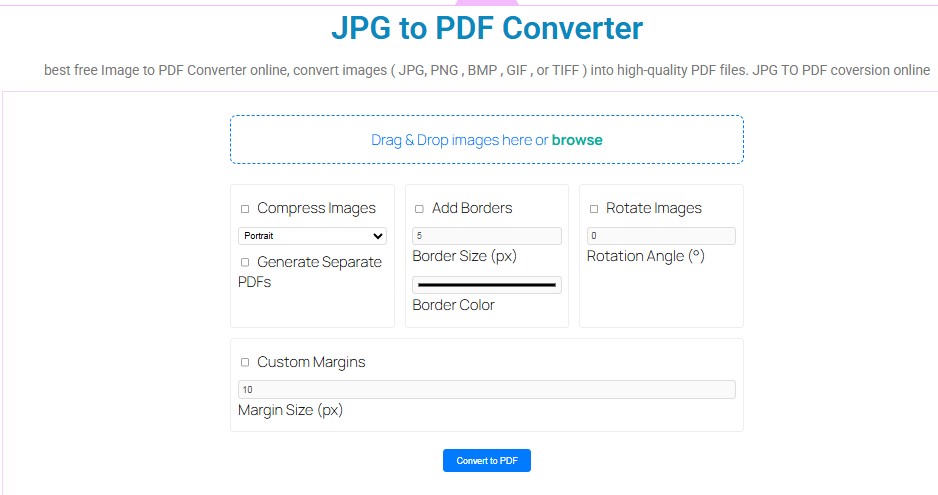
  • Drag & Drop images here or browse

    JPG to PDF Converter

    Why Use Our JPG to PDF Converter?

    Are you looking for the best free JPG to PDF converter online? You are at the right place! At ThanosTool.com, we provide a fast, secure, and easy-to-use image to PDF converter that allows you to convert JPG, JPEG, and PNG images into professional PDF files within seconds. No downloads, no installation – just upload, convert, and download your PDF instantly. Whether you are a student, professional, or business user, our JPG to PDF online tool helps you create high-quality PDFs from your images without losing resolution.
    Converting JPG to PDF is one of the most common requirements today. From official documents to educational materials, images often need to be shared in PDF format for easy access, printing, and security. Here’s why our tool is the best choice: 100% Free – No hidden charges.
    High-Quality Conversion – Keeps your image clarity intact.
    Fast & Secure – Convert in just a few seconds.
    Multiple Formats Supported – Convert JPG, JPEG, PNG to PDF.
    Cross-Platform – Works on Windows, Mac, Android, and iOS.
    No Watermark – Download clean PDFs without branding.

    How to Convert JPG to PDF Online?

    Follow these simple steps to convert your images into PDF:
    Click on the Upload or Drag & Drop area of the tool.
    Select one or multiple JPG/JPEG/PNG images from your device.
    Arrange the images in the correct order if needed.
    Click on the Convert to PDF button.
    Download your ready-to-use PDF file instantly.
    That’s it! With our free online JPG to PDF converter, you can convert unlimited images without any restrictions.

    Benefits of Converting JPG to PDF

    Many people wonder, why convert images into PDF? Here are the major benefits:

    1. Universal Format
    PDFs are supported everywhere – on computers, smartphones, tablets, and even smart TVs. Unlike image formats, PDFs maintain the same structure across all devices.
    2. File Compression
    A single PDF with multiple images is easier to share than sending multiple JPGs. Our tool also optimizes the file size without compromising quality.
    3. Professional Use
    Businesses, students, and government offices often require documents in PDF format for legal, academic, and professional purposes.
    4. Easy Printing
    PDFs preserve layout and print perfectly without distortion, unlike JPG files that might stretch.
    5. Security Options
    Once converted to PDF, you can add password protection, watermarking, or digital signatures for extra security.
    jpg to pdf converter

    Features of Our JPG to PDF Converter Tool

    Our free JPG to PDF online tool is built with user experience in mind. Here’s what makes it stand out:

    • Drag & Drop Support – Upload images effortlessly.

    • Batch Conversion – Convert multiple JPGs into a single PDF.

    • Lossless Quality – Get crisp, clear PDF files.

    • No Registration Required – Use instantly without sign-ups.

    • Lightning-Fast Speed – Conversion takes only seconds.

    • Browser-Based Tool – Works without any software installation.

    Who Can Use This Tool?

    The Image to PDF Converter at Thanostool.com is designed for everyone:

    • Students – Convert notes, assignments, or scanned study material into PDF.

    • Teachers – Create and share exam papers, worksheets, and study guides.

    • Professionals – Convert receipts, invoices, ID proofs, and documents into PDF.

    • Freelancers – Send clean, professional PDFs of designs, screenshots, and contracts.

    • Businesses – Manage scanned records and client documents efficiently.

    This tool is helpful for:
    📚 Students – Submit assignments and projects in PDF format.
    💼 Professionals – Convert scanned documents, invoices, or certificates.
    🏢 Businesses – Share brochures, product images, or reports.
    👨‍💻 Freelancers – Send client deliverables in a polished format.
    🖼 Photographers – Bundle images into a single PDF portfolio.

    JPG to PDF Converter vs Other Tools

    There are many tools available online, but here’s why our ThanosTool JPG to PDF converter is better:
    Feature Our Tool Other Tools

    Free to Use ✅ Yes ❌ Limited
    No Watermark ✅ Yes ❌ No
    Works on Any Device ✅ Yes ❌ Some Limited
    Unlimited Conversions ✅ Yes ❌ Restricted
    High-Quality Output ✅ Yes ❌ Not Always

    🔹 Is JPG to PDF converter free?
    Yes! Our tool is 100% free to use with unlimited conversions.
    Absolutely! You can upload multiple images and merge them into a single PDF file.
    Yes. Our JPG to PDF converter works seamlessly on Android and iOS.
    JPG to PDF Converter